How to build an AI internal link audit workflow
A practical internal link audit workflow that uses AI to organize page relationships and recommend helpful next-step links.
Introduction
Start with the SEO decision, not the AI output.
An AI internal link audit workflow helps organize existing pages, identify weak paths, and suggest links that support the reader journey.
Why this topic matters
AI is most useful when it improves repeatable SEO work.
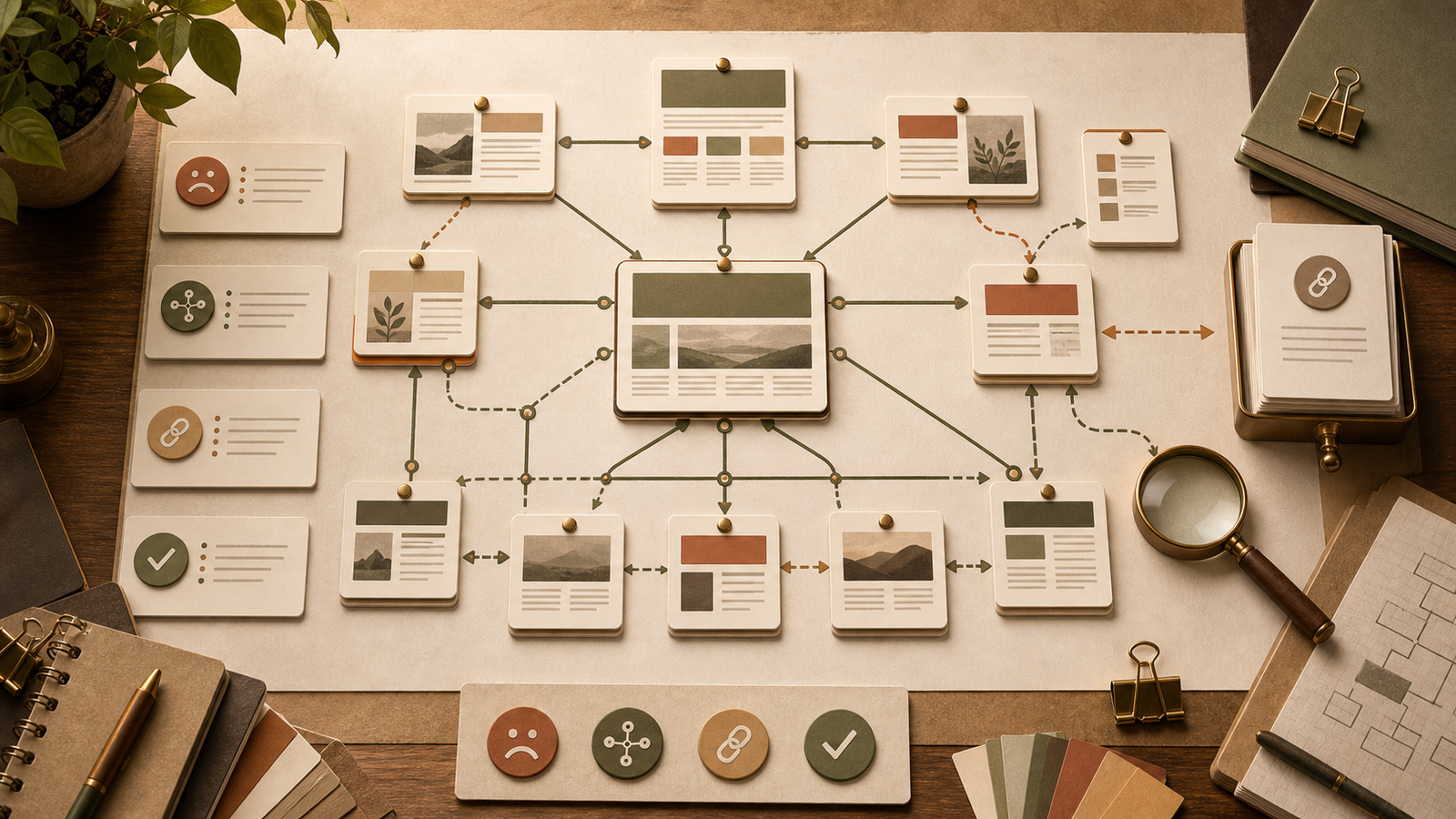
Internal links connect the cluster. Without them, useful articles, prompts, skills, and resources can sit disconnected.
AI can help you see the structure quickly, especially when a site has many guides and resource pages.
Core SEO problem
The problem to solve before scaling the workflow.
The core SEO problem is missing context. AI cannot audit internal links properly unless it receives a real list of URLs and page purposes.
The workflow should make every recommendation accountable to a reader next step.
Step-by-step AI workflow
An audit workflow for internal links.
The audit should start from a real page inventory. AI should recommend links only from approved URLs and explain why each link helps.
Export or list important URLs with title, topic, page type, and purpose.
Group pages by topic cluster and reader stage.
Ask AI to identify orphan pages, weak hubs, missing supporting links, and anchor risks.
Request link suggestions with placement, anchor, and reader reason.
Reject suggestions that feel forced or duplicate existing links.
Add approved links and recheck the page journey.
Example prompt
Copy-ready prompt starter.
Use this AI internal link audit workflow prompt with one real page, one reader segment, and a short list of approved internal links. The goal is a reviewable workflow, not a one-click article draft.
Copy-ready prompt
Act as an internal linking auditor. Use this approved URL inventory [URL LIST] and this current article or page list [PAGES]. Identify orphan pages, weak cluster links, missing next-step links, anchor text risks, and suggested links. For each suggestion, provide target URL, source page, placement, natural anchor, and reader reason. Do not invent URLs.
Practical example
What this looks like in real work.
If the AI SEO hub links to the first ten articles but not the continuation articles, the audit should flag missing cluster coverage and recommend adding the newer guides.
If an article about meta descriptions mentions prompt templates, it can naturally link to the Prompt Library or Prompt Generator.
Checklist
How to build an AI internal link audit workflow review checklist.
Use this checklist before turning the AI internal link audit workflow workflow into a saved template, prompt, or article update.
Confirm this step has a reviewable output: Export or list important URLs with title, topic, page type, and purpose.
Confirm this step has a reviewable output: Group pages by topic cluster and reader stage.
Confirm this step has a reviewable output: Ask AI to identify orphan pages, weak hubs, missing supporting links, and anchor risks.
Confirm this step has a reviewable output: Request link suggestions with placement, anchor, and reader reason.
Confirm this step has a reviewable output: Reject suggestions that feel forced or duplicate existing links.
Confirm this step has a reviewable output: Add approved links and recheck the page journey.
Practical QA scorecard
Review the AI internal link audit workflow workflow before saving it.
Before you turn this AI internal link audit workflow process into a saved NEOA workflow, test it against one real page or article idea and check whether the output would help the reader make a better SEO decision.
The prompt includes the page type, reader stage, site context, and approved internal links.
The AI output separates facts, assumptions, missing inputs, and recommendations.
The workflow produces a concrete deliverable such as a brief, audit list, checklist, template, or refresh plan.
The result links naturally to the AI SEO hub, Prompt Library, SEO Content Agent, SEO Agent Skill Pack, and Prompt Generator when those next steps help the reader.
The final page keeps free beta language and avoids ranking guarantees, fake statistics, and invented proof.
Tools needed
Keep the stack simple and reviewable.
You need a URL inventory, page purpose notes, content cluster map, and link review checklist.
NEOA gives you the free prompts, SEO Content Agent, and SEO Agent Skill Pack to package the audit process.
Mistakes to avoid
Where this workflow can go wrong.
For AI internal link audit workflow, weak output usually looks polished while skipping context, verification, or reader-specific examples.
Letting AI invent URLs or page purposes.
Adding links only because anchor keywords match.
Ignoring orphan pages that need stronger cluster support.
Skipping manual link testing after recommendations.
How to use this inside NEOA
Turn the workflow into a saved free-beta system.
Use a NEOA prompt to audit a cluster, then save the approved workflow to your dashboard.
Use the free SEO Agent Skill Pack when you want the audit to become a reusable agent skill.
Recommended free NEOA resource
Explore free AI SEO prompts
Use NEOA prompts to create approved URL inventories, link audit workflows, and reader-focused internal link suggestions.
Related agent skill
SEO Content Agent Skill
A structured agent skill for turning a keyword into a full SEO content brief, article outline, metadata, FAQ schema plan, and social distribution assets.
Free NEOA resource
Explore free AI SEO prompts
Use NEOA prompts to create approved URL inventories, link audit workflows, and reader-focused internal link suggestions.
View resourceFree prompt pack
Get the prompt pack behind practical AI workflows.
Download 50 prompts for SEO, content, research, and business automation, then use them with this guide to make the workflow repeatable.
Free download
Get the prompt pack.
Choose your main interest and unlock the Markdown download.
Free during NEOA beta. You can download after submitting the form.
FAQ
Common questions
Can AI audit internal links without a URL list?
Not reliably. Provide an approved URL list so AI does not invent pages or misunderstand the site structure.
What should an internal link audit look for?
Look for orphan pages, weak hubs, missing supporting links, unclear anchors, forced links, and broken next-step paths.
How often should internal links be audited?
Audit links when you add a new cluster, publish several related articles, or notice important pages are disconnected from newer resources.
How do I keep AI internal link audit workflow from becoming generic?
Start with specific inputs: page type, reader, intent, site context, examples, and approved links. Then use AI to expose assumptions and gaps before a human edits the final output.
Which NEOA resources should I use with this workflow?
Use the AI SEO hub to understand the cluster, the Prompt Library or Prompt Generator to adapt the prompt, the SEO Content Agent for repeatable execution, and the free SEO Agent Skill Pack for reusable workflow files.
Final recommendation
Make the workflow repeatable before you scale it.
Use AI to organize the audit and generate suggestions, but only add links that support the reader's next step.